One connected system for home-service businesses.
Backentra is a business operating system we're building for home-service companies. Clients, scheduling, jobs, crews, invoicing and payments live in one record that the office and the field both work from.
Home-service businesses where the work happens on site.
Run crews that work in the field, not at a desk.
Quote work on site, often after visiting the property.
Get paid after the job is done, by invoice.
One record, from the first call to paid.
The client and job details entered at the start carry forward through every stage, so nobody retypes them into a second system. Not every job needs every stage: small or repeat work can skip straight to scheduling.
- 01LeadA call, a form or a referral, with the source captured.
- 02EstimateA site visit booked against the lead, when one is needed.
- 03ProposalPriced, sent and approved by the client.
- 04Scheduled jobApproved work gets a date and a crew.
- 05InvoiceBuilt from the approved proposal plus changes on site.
- 06PaymentReceived and matched to the invoice.
In the office
The full system in a browser: take in leads, build proposals, plan the schedule, assign crews, send invoices and see where every job stands.
In the field
A narrower phone app for the crew's day: today's stops, directions, checklists, photos and sign-off, written straight back to the same job record.
Not every job goes through every step.
Small work is often priced without a site visit, and repeat work goes straight to scheduling. It is a spine, not a gate.
A pipeline stage is a state the record sits in. A workflow step is an action someone takes to move it. Each piece of information is captured at the earliest step that knows it, and carries the rest of the way.
- 01
Lead
Someone gets in touch: a phone call, a form, a Local Services lead, a referral, or an office member typing it in. Where it came from is captured now, so nobody reconstructs it later.
- 02
Estimate appointment
The appointment lands on the calendar against the lead, assigned to an estimator, and the client is told. Work priced from a photo or a phone call skips this step.
- 03
Proposal and approval
The work is priced from your service catalogue, tax applies, and the client opens the proposal on their phone, reads the scope and terms, and signs.
- 04
Scheduled job
Approved work lands in the schedule queue and gets a date and a crew, with your own scheduling rules applied. A recommended date comes with its reasoning attached.
- 05
Invoice sent
The invoice is built from the approved proposal plus whatever changed on site. No one rebuilds it from a notepad, because the priced work and the recorded work are already on the record.
- 06
Payment received
Paid by card or ACH and reconciled against the invoice. This is where the record closes, and where job costing becomes real: revenue against the hours and materials the work actually used.
What the software is being built to cover.
The core areas we’re building, from the first call to the final payment. They’re planned for launch, and details may change.
Client management
Every client, vendor and team contact in one place, with the whole history attached: jobs, notes and photos, rather than scattered across inboxes.
Scheduling and routing
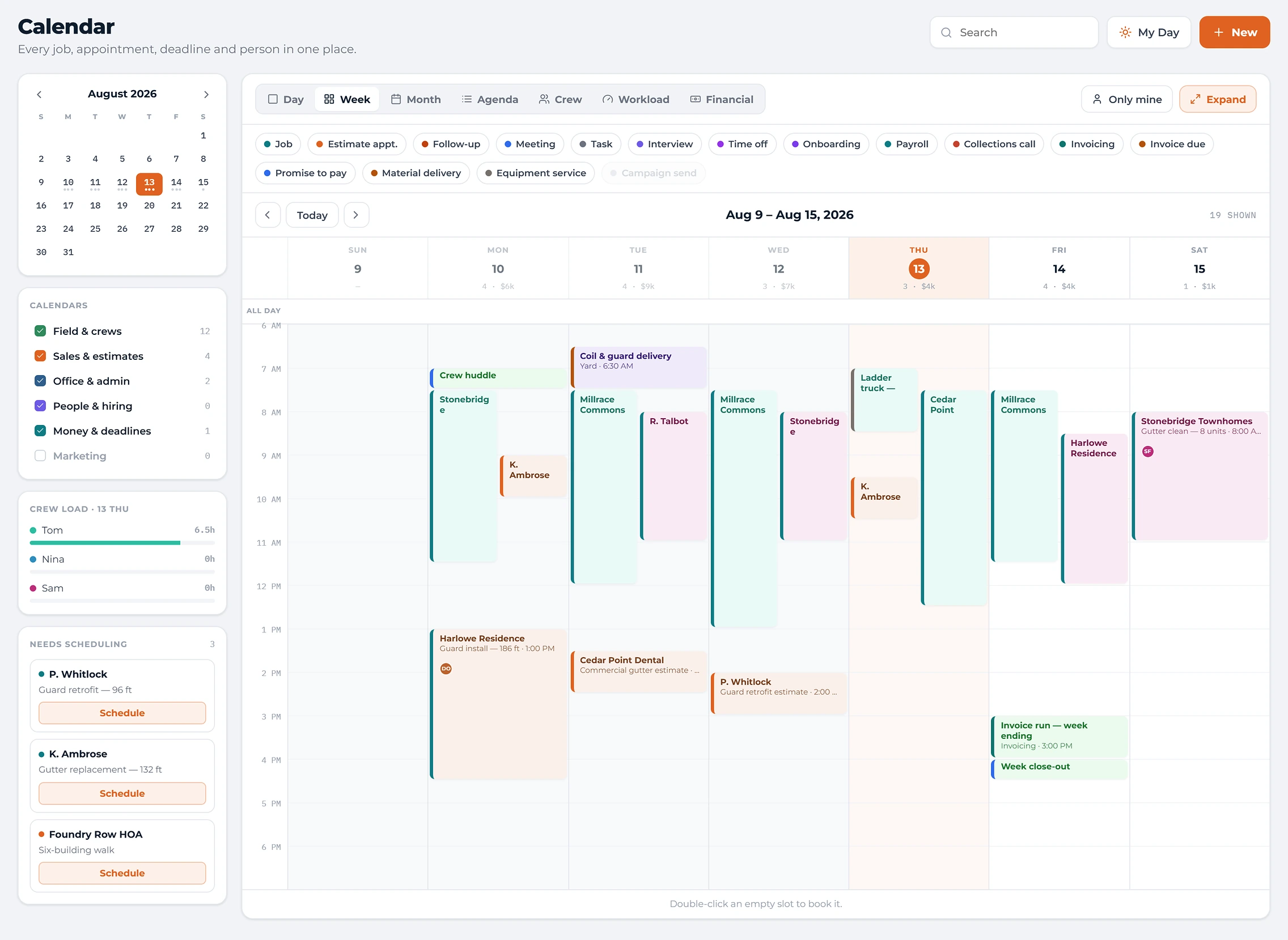
Week, day, month, agenda and crew views over one entry model. Approved work waits in a schedule queue until it gets a date and a crew.
Jobs and crews
Crews are set up with a leader, members, a truck and their equipment, then assigned to jobs, with checklists, photos and sign-off on site.
Invoicing and payments
Invoices build from the approved proposal plus whatever changed on site. Take payment by card, ACH or over the phone, and see what each job actually cost.
Reporting
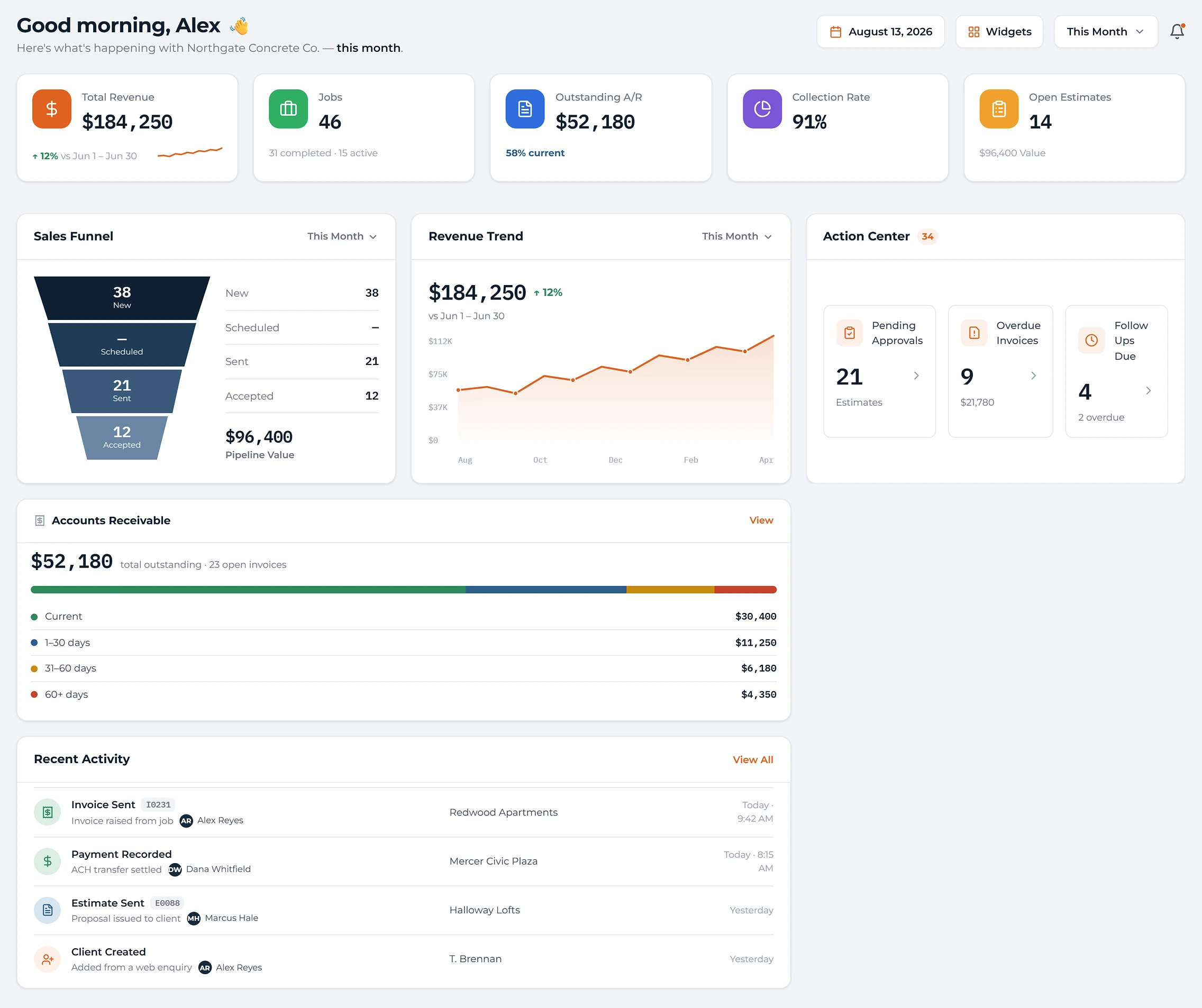
Revenue, margin and crew utilization from the work itself, because hours and materials were recorded as they happened. No spreadsheets.
Field app and client portal
A narrower phone app for the crew's day: today's stops, directions, photos and sign-off, written straight back to the job. Clients get their own view of just their side.
The screens your team would use.
Screens from the software as it is being built. Layouts and wording will keep changing before launch.
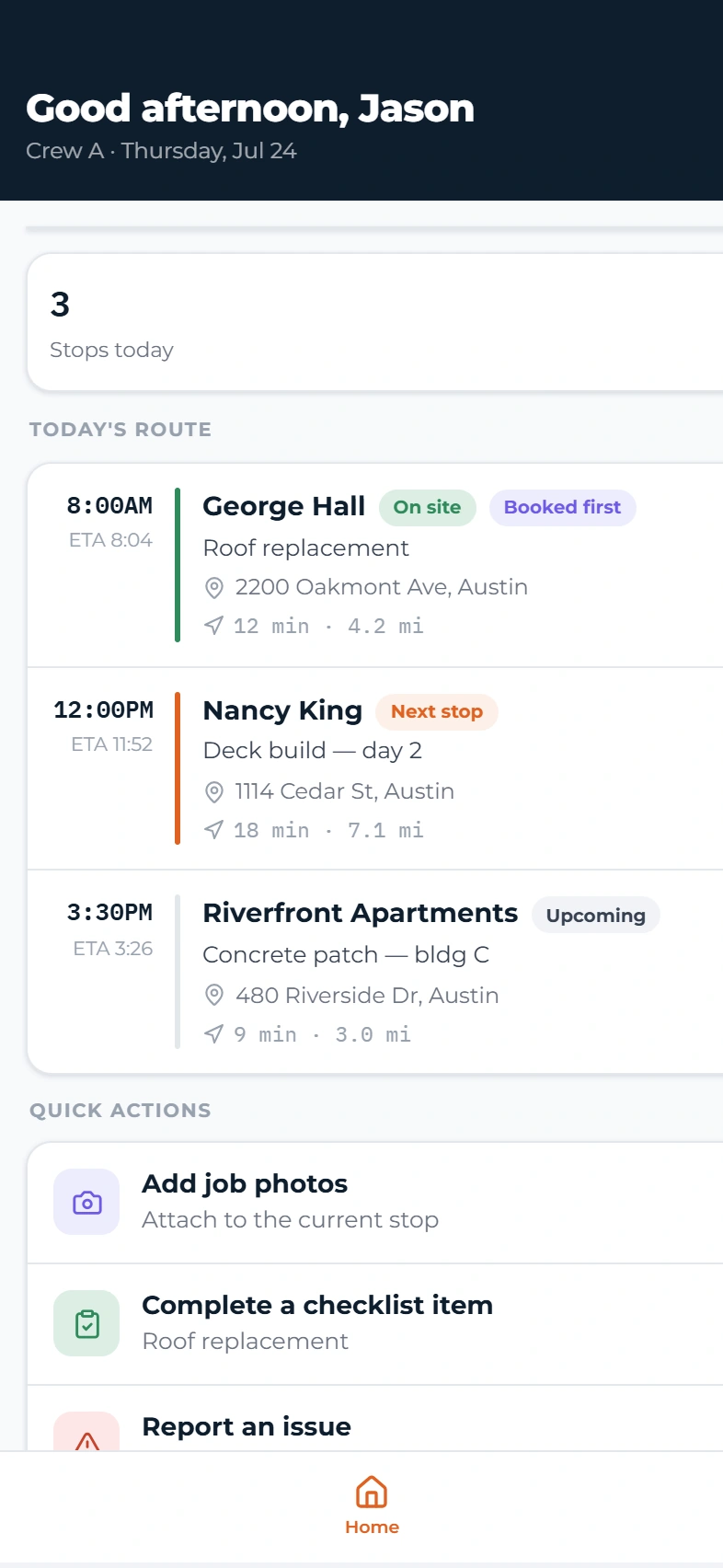
The crew’s phone view.
A narrower view of the same system, built for the day on site.
- Today’s stops, in route order
- Directions and drive times to each job
- Job photos and checklists
- Customer sign-off on site
What we're currently looking at for launch.
These are the plans and prices we're currently planning. They aren't final, nothing on this page can be bought today, and we'll confirm everything before launch.
Solo
Owner-operator, no crew
Leads, estimates and proposals; jobs, invoices and payments; client portal and mobile app; financials and receivables.
Solo can add one more full user. It cannot add field users.
Team
Owner, office staff, a crew or two
Everything in Solo, plus employee roster and crews, time clock and timesheets, and the field app with routing and sign-off.
Field users start on Team.
Business
Several crews and managers
Everything in Team, plus flexible crews, inventory, fleet and materials, and HR records and collections.
Pro
Multiple divisions or locations
Everything in Business, plus divisions and locations, performance tools, and marketing operations.
Enterprise is quoted per company for larger businesses with custom terms. Annual billing is about 15% less per month than monthly billing.
Office-side staff
Typically the owner, office manager, bookkeeper, sales rep, scheduler or dispatcher. Full users get the office side of the software, including the administrative tools to run the business.
Assigned to the work
Typically crew members and laborers who are assigned to jobs, like installers, technicians, drivers and helpers. Field users get the crew app: the day's stops, directions, checklists, photos and sign-off.
Additional full user
Office-side staff, with more of the administrative side of the software.
Additional field user
Crew members and laborers assigned to jobs, with the crew app.
Five-field-user pack
A whole crew of field users added at once.
Client portal users
Your customers. They are never counted and never charged.
Unlimited jobs and clients
Every plan includes unlimited jobs, unlimited clients and unlimited client-portal users.
The plan decides features
Higher plans add features. Adding people never unlocks a higher plan's features.
Seats decide who is in
The seat count decides how many people can reach the software, and what each one can do.
What counts as a user?
Anyone on your team who uses the software. Full users are office-side staff and field users are the people assigned to the work in the field. Your clients are never counted.
Can I change plans later?
Yes. Move up at any time, and move down at the end of your billing period. Your data stays the same; only what you can reach changes.
When would I be charged?
Not until the software is live and you decide to start using it.
Are taxes included?
Prices shown are before any applicable tax. Payment processing costs are separate and depend on how your customers pay you.
Get in first. Keep 25% off for life.
25% off the standard plan rate for as long as your service stays continuous. If you leave and return, the discount does not return.
The first group of companies on Backentra shapes what it becomes. Joining the list is free. It isn’t a purchase, a subscription or immediate access; the software is still in development.
Off the standard rate of whatever plan you are on, for as long as your service stays continuous. Not an introductory month.
Founding members can share feedback directly with our team, and it helps shape what we build next.
We help you bring over your existing client and job information, so you don’t start from an empty screen.
Founding members get access before general availability.
- Joining costs nothing and doesn’t start a subscription or give immediate access.
- It applies to the standard rate, not to taxes, transaction fees, usage charges, or third-party services you connect.
- Registration closes at launch. Existing qualifying members keep the discount while their service stays continuous.